

How to Setup Packer
Installing Packer on Rocky Linux from the HashiCorp RPM repository, including the cracklib conflict that breaks the default package.
What is Packer?
Packer builds identical machine images for multiple platforms from a single source template. That makes it a good fit for golden images in an image pipeline — build once, deploy the same artifact everywhere.
This post covers installing Packer on Rocky Linux and verifying the setup.
Install Packer
On RHEL-based distributions, Packer’s RPM collides with the packer library shipped by cracklib, which is already installed. The transaction fails with a file conflict.
The workaround is to unlink the conflicting binary, then reboot:
unlink /usr/sbin/packer
Log in to the code server as root and install the repository tools:
yum install -y yum-utils
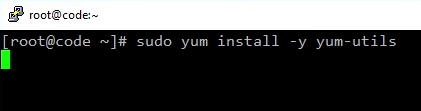
Add the HashiCorp repository:
yum-config-manager --add-repo https://rpm.releases.hashicorp.com/RHEL/hashicorp.repo

Install Packer:
sudo yum -y install packer
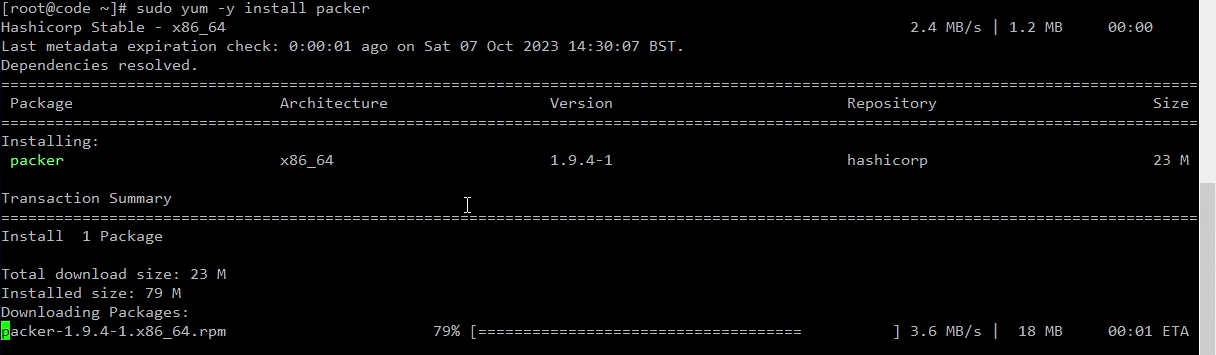
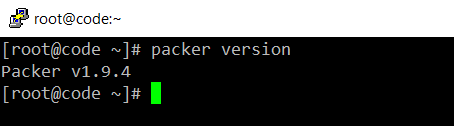
Verify the installation:
packer version
What Packer actually does
A Packer build has three stages, and understanding them is what turns the install above into something useful:
- Builders create a machine image on a target platform — VMware, QEMU/KVM, Amazon EC2, Azure, and so on. The builder is where the “what platform” question is answered.
- Provisioners run inside the image after it boots — shell scripts, Ansible, PowerShell, Chef — to install and configure software. This is where you bake in your baseline.
- Post-processors turn the finished artifact into something else: a Vagrant box, a compressed archive, a pushed image in a registry.
A build is driven by a single template (HCL2 or, on older Packer, JSON). The template declares one or more builders, the provisioners that run against each, and any post-processors. The same template can target several platforms in one run, which is the whole point — one definition, identical images everywhere.
Next steps
With Packer installed, the natural next step is a first template: a source block describing the base image and a build block wiring in a shell provisioner. From there the useful knobs to learn are variables (so the same template works across environments), communicator (SSH vs. WinRM), and the vsphere-iso / qemu builders for a home lab.
See the official Packer documentation for the template reference and the per-builder options.
Packer and the HashiCorp toolchain are HashiCorp products; this post is our own notes from a Rocky Linux lab install.