

How to Install and Configure K3S
Install and configure K3s, the lightweight CNCF-certified Kubernetes distribution, with its built-in local storage provider, Traefik ingress, and packaged components.
K3s is a CNCF sandbox project that delivers a lightweight yet powerful certified Kubernetes distribution. K3S is a lightweight Kubernetes, easy to install, Simple but powerful “batteries-included” features have been added, such as:
- local storage provider
- service load balancer
- helm controller
- Traefik ingress controller
Install K3S on Rocky Linux 8
Prerequisites
Operating Systems:
- If you are using RHEL/CentOS/Fedora, follow these steps.
Hardware:
| Spec | Minumum | Recommended |
|---|---|---|
| CPU | 1 Core | 2 Cores |
| Memory | 512 MB | 1 GB |
Installation:
K3s provides an installation script that is a convenient way to install it as a service on systemd based systems. This script is available at https://get.k3s.io.
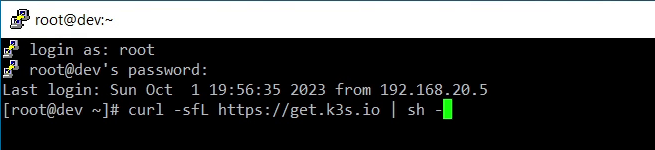
Since i am using this installation method, will just run:
curl -sfL https://get.k3s.io | sh -
- Login to Dev_Machine using root credentials and run the command
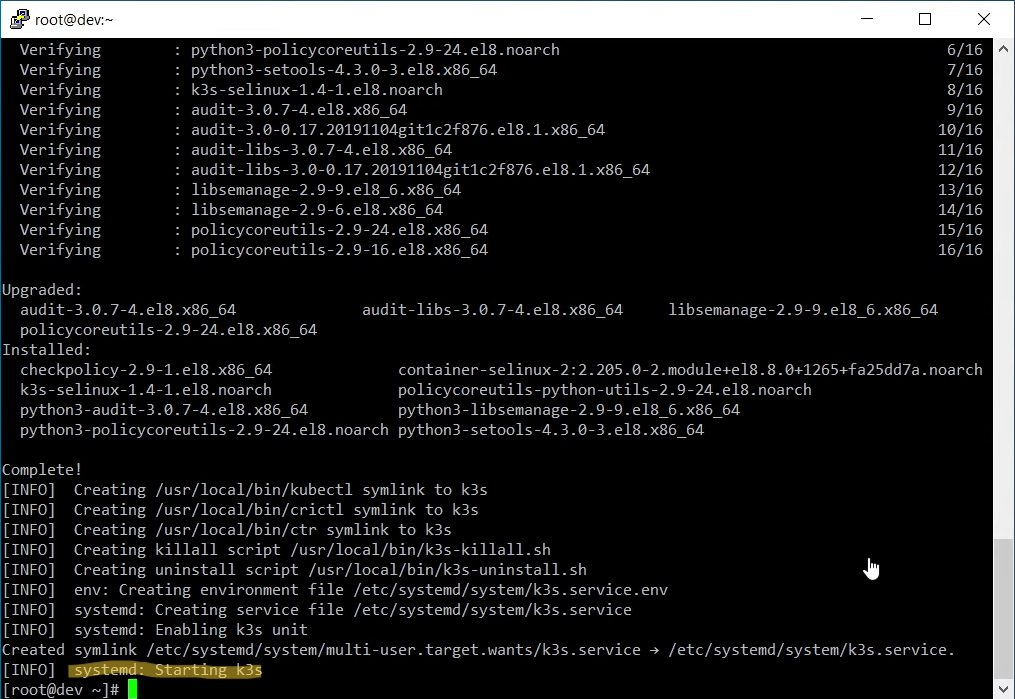
- after few minutes the script will install the required packages and completes the installation
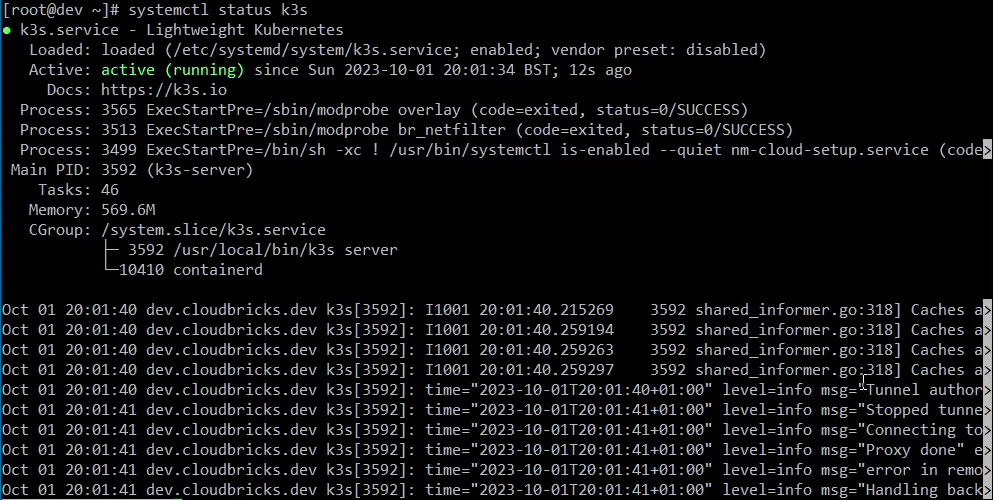
- change the permissions of k3s config file
chmod 644 /etc/rancher/k3s/k3s.yaml


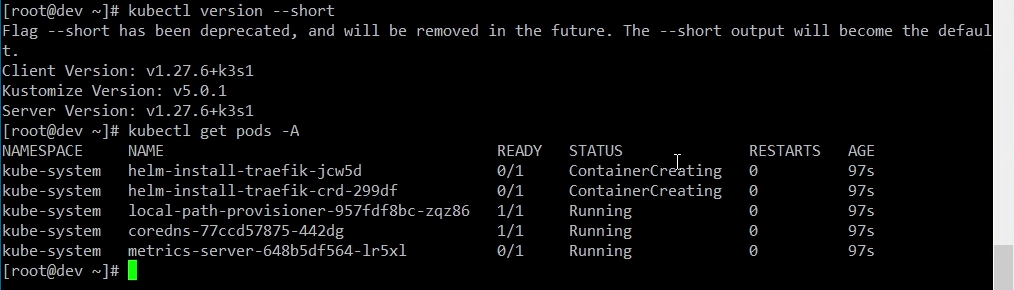
This is not complete Installation, configuration and Administration of Kubernetes. This just allows me to run AWX Operator
Watch the video on How to setup K3S kubernetes cluster
What K3s actually is
K3s is a CNCF-certified Kubernetes distribution packaged as a single binary of roughly 50 MB. It is not a fork of Kubernetes — it is upstream Kubernetes with the parts a single-node or edge deployment does not need removed or replaced:
- etcd is optional. By default K3s uses an embedded SQLite datastore instead of etcd, which is what makes a single-node install trivial. For HA you switch to embedded etcd or an external datastore.
- Ingress is built in. Traefik is deployed as part of the cluster, so a fresh install can serve HTTP/HTTPS traffic immediately.
- Storage is built in. A local-path provisioner creates PersistentVolumes on the node’s disk without any extra CSI driver.
- Helm is built in. A Helm controller watches HelmChart CRDs, so you can declaratively install charts by dropping a manifest in
/var/lib/rancher/k3s/server/manifests/.
The trade-off is that you give up some flexibility: you cannot easily swap the datastore, ingress or storage provider, and the control plane is not highly available unless you configure it to be. For a home lab, an edge site, or a CI runner, that trade-off is usually worth it.
After the install
The kubeconfig lives at /etc/rancher/k3s/k3s.yaml and is owned by root. Either copy it to your user’s ~/.kube/config, or set KUBECONFIG=/etc/rancher/k3s/k3s.yaml. From there, kubectl get nodes and kubectl get pods -A are the two commands that tell you whether the install actually worked.
The install script also drops a token at /var/lib/rancher/k3s/server/node-token. You will need it if you later add worker nodes with K3S_URL=https://<server>:6443 K3S_TOKEN=<token> sh -.
Caveats
- This is a single-node control plane. If the node dies, the cluster dies. For anything you care about, run three server nodes.
- The
get.k3s.ioscript pulls the latest stable release. Pin a version withINSTALL_K3S_VERSION=v1.x.yif you need reproducibility. - K3s defaults to the
local-pathstorage class, which provisions hostPath volumes. That is fine for a lab and wrong for anything multi-node.